WolfoRan Data BackUp
Data BackUp V3.11
Intelligent backup of your files. Our backup solution is remarkably easy to use, powerful, and fully automated for those who don't want to worry about the long-term preservation of their files. WolfoRan Data Backup saves your files while preserving the directory structure they are in for quick and easy restoration. We highly recommend using an external hard drive.
A significant advantage is that you can use the backed-up files directly, just like the originals. WolfoRan Data Backup's unique dual file explorer lets you move files simply by dragging and dropping them from one directory to another, allowing you to recover just the backed-up file without restoring an entire directory.
Fonctions principales
Profiles Manager : When a profile is loaded, to retrieve it the next time you launch the program, you must check the "Keep current configuration (recommended)" option in the "Settings" menu. This is recommended if you only use one profile; otherwise, you can select it in Profiles Manager at each startup.
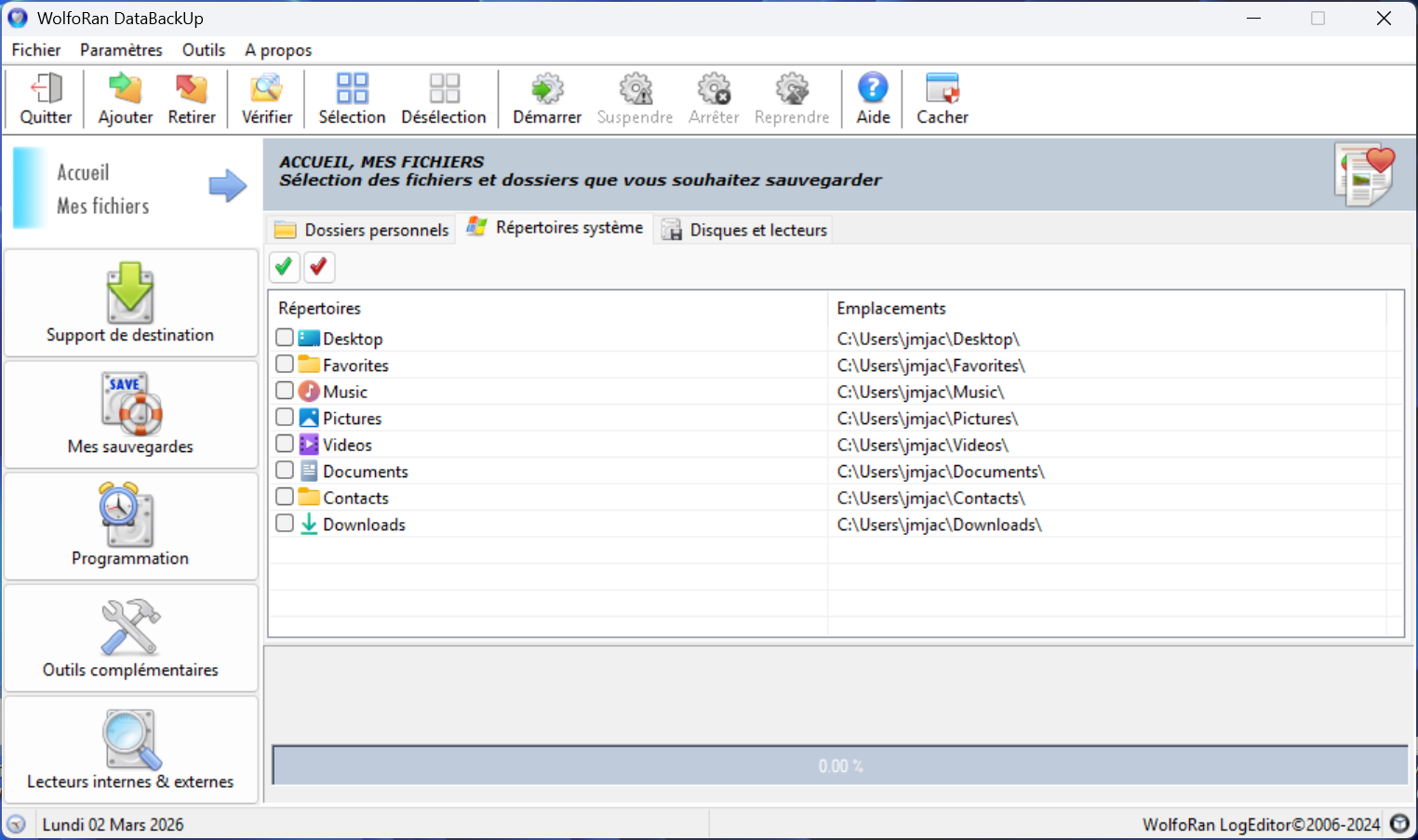
Specific personal folders and files: A selection of specific personal folders allows you to back up only your favorite and frequently used files without having to back up your entire PC, saving you time. A System Folders section includes the main Windows directories that you can back up regularly.
Protected Mode: This mode prevents any interaction with the window during backup processes to avoid potential errors or accidental changes. It is automatically activated during both backups and restores. Only functions specific to the current backup are active.
Backup Process Management: When backing up manually, you can interrupt (pause), resume, or stop the backup process at any time to free up PC resources for other urgent tasks. You can also calculate the available space on the destination storage before backing up, either in quick mode or advanced mode using the built-in application. This tool allows you to calculate the space required for the backup very precisely. Even if the remaining space is less than the total size of the backup, you can still start the process if only a portion of the files need to be copied.
Automatic backups: Backups are scheduled and performed automatically according to your chosen intervals, either daily or weekly. A blue icon remains in the notification area while the program is running and changes to a green icon during operation. Automatic backup schedules are not saved in user profiles.
7-Zip Integration: The leading utility for compressed archives is used for decompressing and managing ZIP archives. Install it alongside our software to seamlessly and easily access all its features.
Outils complémentaires
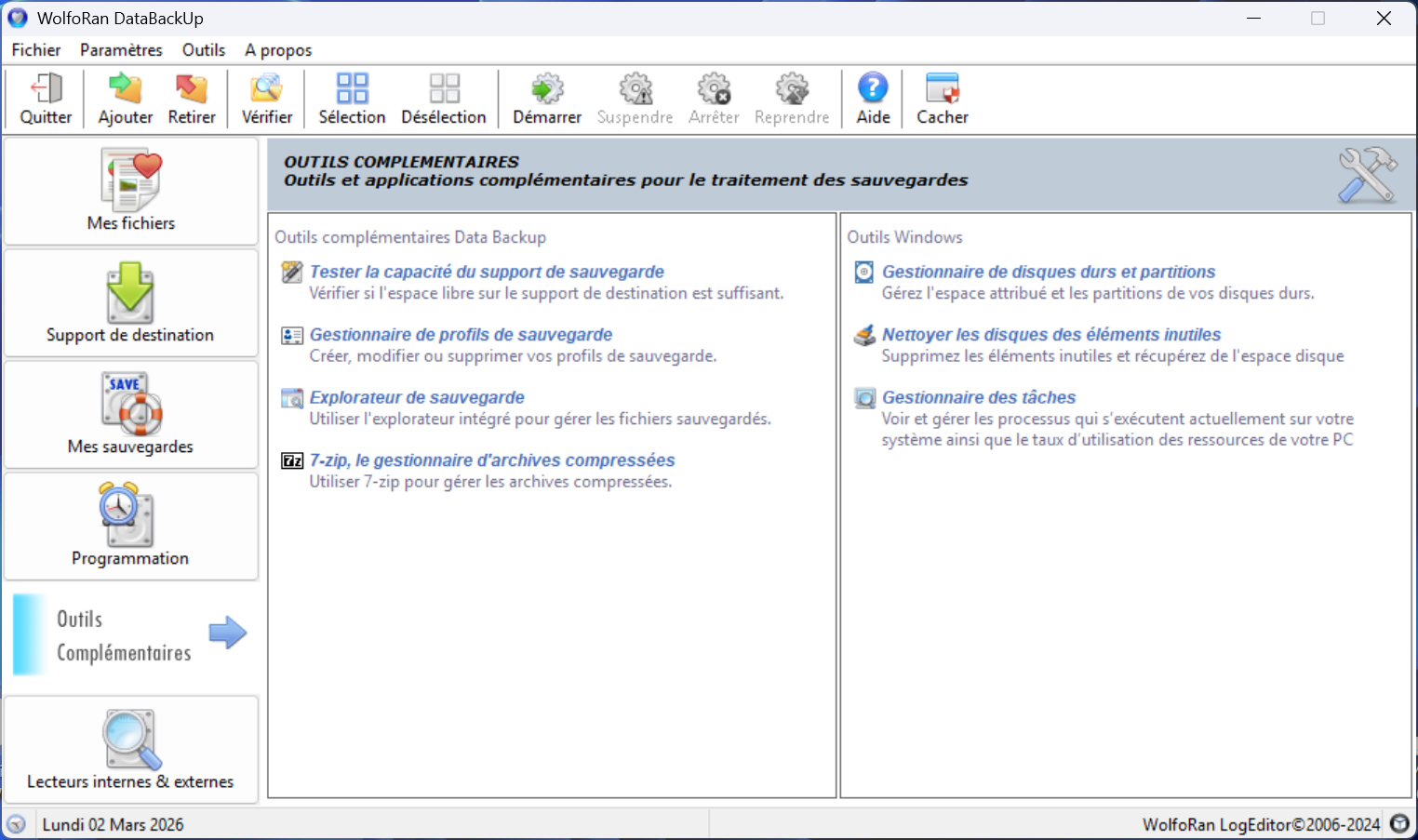
Profiles Manager allows you to create multiple backup profiles on different media, thus controlling the preservation of your favorite files.
The Capacity Tester calculates the available space on the destination storage medium before starting a backup, either in quick mode or advanced mode. This tool calculates the precise space required for the backup. Even if the remaining space on your storage medium is less than the total backup size, you can still start the process if the Capacity Tester indicates that it is possible.
Archives 7z
Pour bénéficier de toutes les fonctionnalités de WolfoRan DataBackUp (compatible avec les 2 versions de 7z) télécharger et installer la dernière version stable du logiciel de compression
Site français de 7z : https://www.7-zip.fr/
ou site de téléchargement : https://www.7-zip.org/download.html