WolfoRan File Explorer
File Explorer
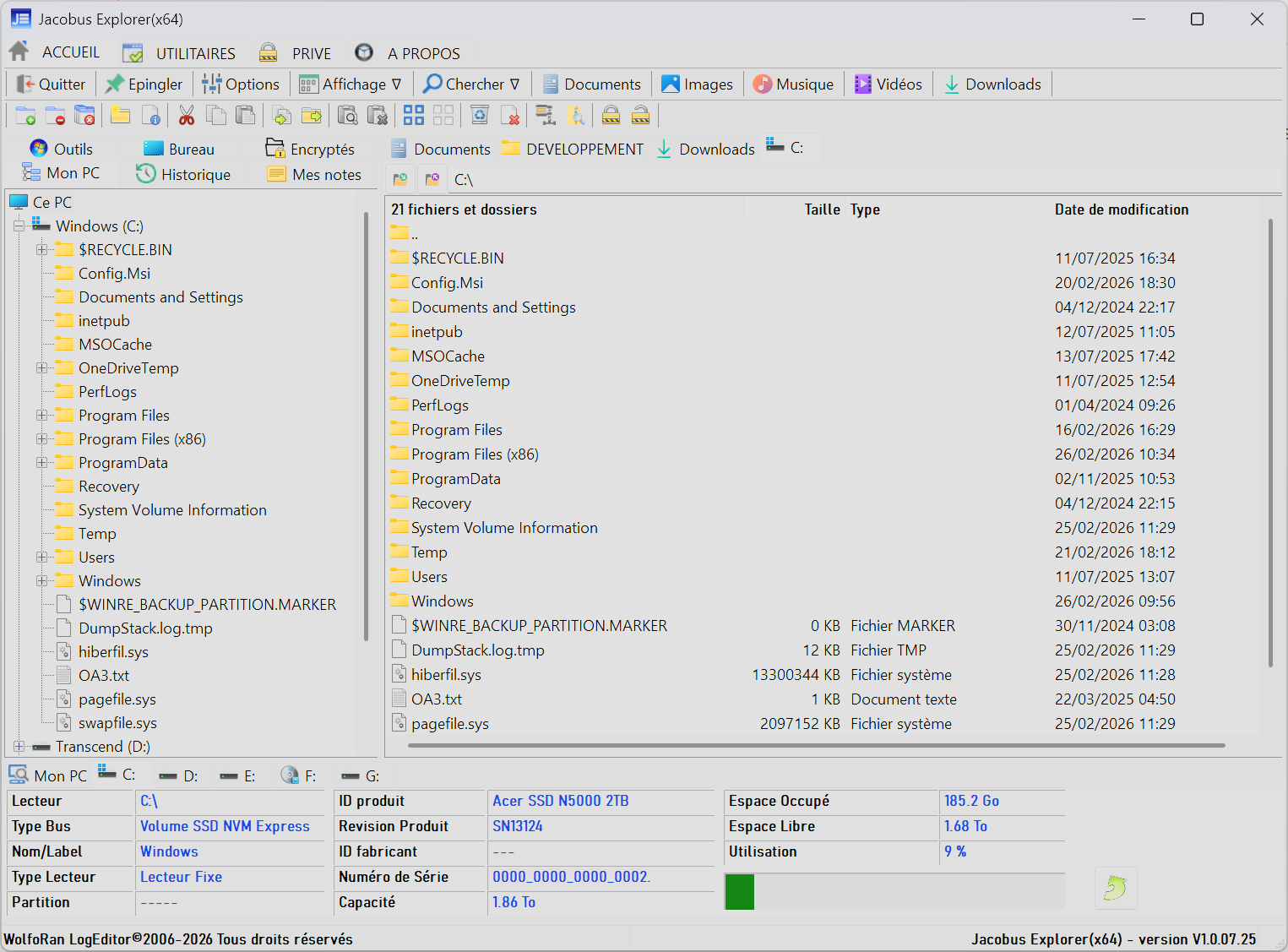
A multi-functional file explorer that, like the one in Windows 11, opens and displays directories in tabs for quick navigation.
Permanent display of PC information and data from internal and external drives, which can be opened directly in a file explorer tab.
Various pop-up menus for file manipulation.
Ribbon toolbars
- A "Home" toolbar with essential explorer functions, including direct access to system directories, file compression, and encryption (AES 256/SHA3 512).
- A "Utilities" toolbar with buttons to launch various components of the WALTER suite.
- A "Private" toolbar with buttons to launch secure management applications from the WALTER suite.
- An "About" navigation bar for WolfoRan File Explorer.

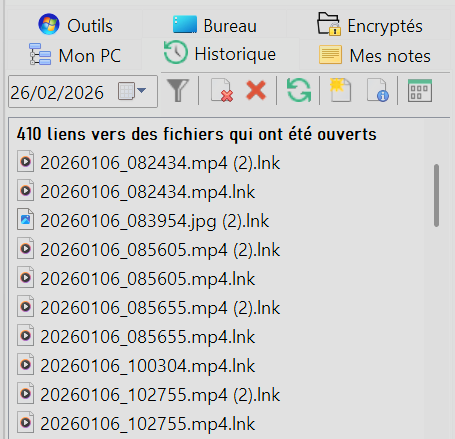
Quick access panel...
The left panel displays six tabs:
- My PC, a file explorer in tree view;
- History, a recent files explorer (links to previously opened files);
- My Notes, a tool for taking and managing text-based notes;
- Windows Tools, access to the main Windows system tools;
- Desktop, where all desktop shortcuts are located;
- Encrypted Files, the default save location for user-encrypted files.